How to Make an Outstanding Tiny Desk AI Video from Photos
A practical guide to choosing portraits, casting each band seat, generating an Outstanding Tiny Desk AI video, and reviewing the result.
You can make an Outstanding Tiny Desk AI video without building a CapCut timeline or masking faces manually. The workflow is choose a cast, upload clear portraits, generate a new concert, and review the MP4 before posting.
1. Choose the lead singer
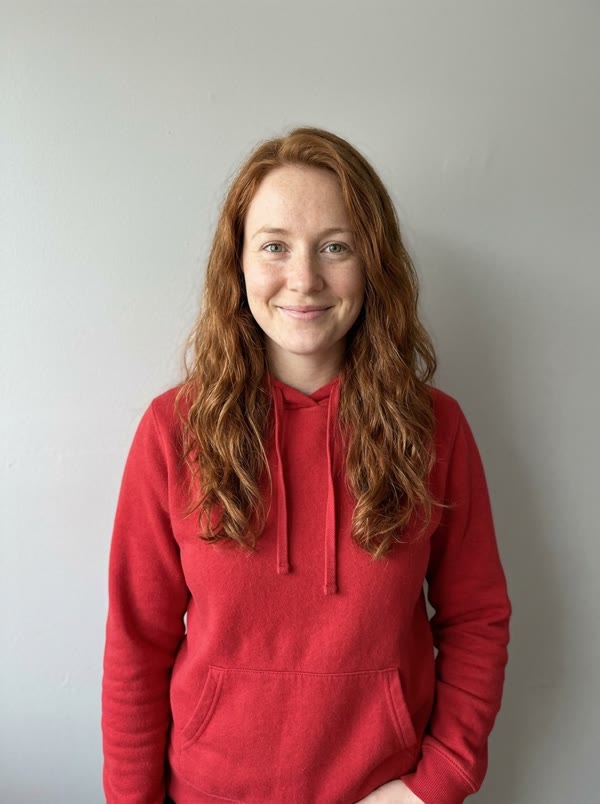
The lead is the only required role. Use a shoulders-up portrait with one adult facing the camera. The eyes, nose, mouth, hairline, and jaw should be visible. Natural window light or soft indoor light usually preserves more facial detail than a dark nightclub photo or a harsh filter.
Avoid screenshots of screenshots, group photos, sunglasses, heavy makeup effects, and images where the face occupies only a small part of the frame. JPG, PNG, and WebP files up to 10 MB are supported by the upload form.
2. Add band members only when you need them
You can leave every other seat to an AI musician. If you want friends in the video, add a separate portrait for keys, sax, or either backing singer. Keys and backing vocals share one add-on; sax does not add credits.
Use the same photo standard for every role. Do not upload one group image and expect the tool to know which person belongs in which seat. Separate inputs make the casting instruction unambiguous.
3. Select a quality level
Draft generates a 480p vertical video for reviewing composition. Standard generates 720p and is the better default for a final post. Both formats use the same 15-second, 9:16 concept and include original AI audio. A higher output resolution does not repair a blurry source portrait.
4. Generate and wait for the task
After you confirm photo permission, the site uploads the images, creates a Seedance 2 task, and polls its status. Keep the result page open while the task is pending or processing. The service records a result only when the provider returns a video URL; a confirmed failure returns the task's credits automatically.
Video generation can take several minutes. Avoid repeatedly submitting the same cast while a task is active, because each accepted task is a separate render.
5. Review before downloading or posting
Check face consistency, hands, instruments, lip movement, and unwanted identity blending. AI can produce a plausible video that still contains visual errors. Listen to the generated audio as well, and do not assume that every platform will treat synthetic music or voices identically.
When you post, disclose that the video is AI-generated. Keep it in parody or personal entertainment contexts, use only authorized photos and music, and do not imply that a real person performed at NPR.
Start your Outstanding Tiny Desk video, or learn what the Outstanding Tiny Desk format means.